tech support 1

  • Subscribe to our RSS feed.
  • Twitter
  • StumbleUpon
  • Reddit
  • Facebook
  • Digg
Showing posts with label google drive. Show all posts

Thursday, 24 January 2013

Google Slides now available offline!

Posted on 04:54 by Unknown


Google Docs/Drive is a great, free resource that allows you to create, edit, share, collaborate on, and comment on Documents (Docs), Spreadsheets (Sheets), and Presentations (Slides), all online. Think Microsoft Office in the cloud with some other great features.

I use Google Slides (Presentations), the equivalent of PowerPoint, for all of my presentations. I like the features it has and like that I can easily share it online and people will always be able to see the newest version. One downside was that you needed an internet connection and some conferences I have presented at can have WiFi issues due to all of the devices being used. I would always save a copy of my presentation as a PDF file to my laptop in case I didn't have a good internet connection. That is no longer necessary.


Google has announced that Google Slides will now be available with offline support. You can now create, edit, comment, and present your Slides presentation without an internet connection. When you get an internet connection, your new presentations or changes will be automatically updated online. Docs has had this for a while already.

This is a great feature that makes Slides even more useful, along with Chromebooks, for people who need to work on, or present, their presentations where they may not have WiFi. It's also great for schools who issue Chromebooks to students that may not have internet at home. Our district is going with Chromebooks and student internet access at home is a concern. That is less of a concern now.

To enable offline Docs/Sheets/Slides, follow these instructions. If you already have offline enabled for Docs, you are all set. In order to use the offline feature, you will have to use Chrome browser or Chrome OS.

Google is currently working on offline support for Sheets as well.

Offline support has been the one reason I see many people stating as why they won't or can't go with Google Drive/Docs and Chromebooks. That reason is disappearing.


Related:

Google for Educators Resources



Read More
Posted in free resources, google, Google Docs, google drive, Google for Educators | No comments

Friday, 5 October 2012

cloudHQ - sync Google Drive, Dropbox, Evernote and more

Posted on 05:42 by Unknown

cloudHQ logo

cloudHQ is a unique service that, while not free, offers a very useful service. It allows you to backup and sync files between Google Drive, Dropbox, Sugarsync, Box, Basecamp, and Evernote. You can sync your notes and files between Basecamp, Dropbox and Evernote, back up your cloud data, and even synchronize docs and notes between Google Drive and Evernote in real time.


 Google Drive dropbox sugarsync box   


cloudHQ continuously syncs all of your files between your different cloud services in real-time. 

This is very useful for backup and security, along with making files more accessible to others who need to use them, and even turning your Evernote notes into collaborative Docs in Google Drive. 

The personal plan is $4.90 per month, or $49 per year. There are also premium and enterprise accounts for higher fees, with more features. 

While not free, this could be a very useful service for many people who use a variety of cloud services. 
Google Docs is excellent for collaboration. Evernote is perfect for note taking, web clips, etc.

Sync all your Evernote notes and Google Docs documents. So all your Evernote notes can be Google Docs and all your Google Docs documents can be in Evernote. It really simplified everything - because you can start something as a note and migrate into Google Docs for collaboration. Or you can think about this setup as a backup: Google Docs is backup of Evernote and Evernote is backup of Google Docs.
sync evernote and basecamp


Disclosure: I was not compensated in any way for this post. I just feel that this could be a useful tool for many people. 


Read More
Posted in cloud file storage, dropbox, Evernote, file backup, file sync, google, google drive, Google for Educators, sugarsync | No comments

Thursday, 13 September 2012

Google Drive comes in handy during Power Outage

Posted on 10:09 by Unknown


Google Drive is Google's online file storage system and the way you access your Google Docs, Spreadsheets and Presentations.

One of the really great features it brought was syncing of your docs and files onto your computer for offline access. This came in really handy for me last night.

I came home to find that our condo building had no power due to an underground power line failure. I had a few things I still needed to work on and there was no WiFi. I could have used my smartphone as a hotspot, but I wanted to save my phone battery for an emergency. My Chromebook, with built in 3G, was at school. Luckily, I have Google Drive on my laptop at home and was able to access all of my Google Docs offline. Once the power came back on, the changes I made synced with my Google Drive account and were available to me later.

Thanks Google Drive!


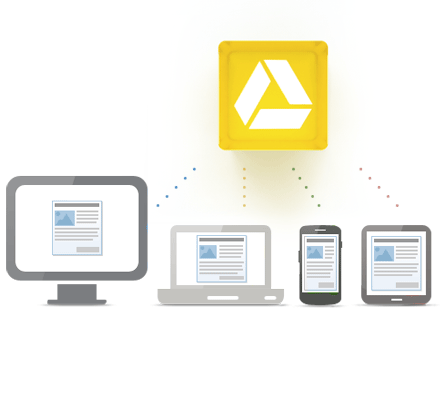
Access everywhere


Read More
Posted in free resources, google, google drive, google education, Google for Educators | No comments

Friday, 7 September 2012

Google Spreadsheets adds Discussions for easier collaboration

Posted on 07:47 by Unknown


Google Spreadsheets, Google's online, collaborative spreadsheet system in Google Drive has just added an awesome feature - discussions. This feature is already in Documents and Presentations. 
It allows you, and the other users of a spreadsheet, to add comments, which can be replied to, to any cell on a sheet. You can even +1 someone to add them to the discussion and send them a notification via email. Another cool feature is that they can reply to the comment directly from their inbox. 
This is another great feature that makes Drive and Spreadsheets even more useful. 


Read More
Posted in google, Google Docs, google drive | No comments
Older Posts Home
Subscribe to: Posts (Atom)

Popular Posts

  • Google+ - what is it and how to get started using it
    Google+ is Google's social network and it has become my preferred social network. Facebook has gotten too political, although I do use...
  • Edmodo and Common Sense Media release free Digital Citizenship resource for Educators
    Digital Citizenship is an important topic and something that we must teach our students ( and ourselves ) in today's digital world. Ed...
  • Any.do to-do list app available on Android, & now iPhone and Chrome browser
    Any.do is a very popular, free to-do list app for Android and it has just been released for iPhone and the Chrome browser. It is simple to ...
  • Do I own too many gadgets? Nah!
    I was looking at all of my gadgets and I was wondering if I have too many. Here's a list of what I personally own and how I use them. 1....
  • Lessonopoly - free lesson resources, connect with other teachers
    Lessonopoly is a great, free educational resource cite created to help teachers, with input from teachers. The site has lesson plans and le...
  • How Google Builds its Maps
    Google Maps are a great resource in many ways. Obviously, they are great for plotting trips and getting directions and the mobile versions ...
  • Free Virtual Labs to use in science class
    Virtual Labs is a collection of 4 virtual labs from South Dakota State University (SDSU) and New Mexico State University (NMSU). The 4 virt...
  • Adobe Announces $1 Million scholarship for High School Seniors
    Adobe Foundation Announces New Million Dollar Creativity Scholarship Higher Education Scholarships to Focus on Unlocking Creative Potential ...
  • 31 Great Ways Universities are Using Google+ - apply to K12?
    I just read an article entitled "31 Great Ways Universities are Using Google+" and was thinking that K12 could, and should, do ma...
  • Google Drive gets updates for Android and iOS (including create and edit docs)
    Google Drive is Google's free online file storage system and where Google Docs reside. It's web based, has Mac and Windows apps and...

Categories

  • 21st century resources
  • 21st century skills
  • 9-11-01
  • administration
  • adobe
  • Adobe Acrobat Reader
  • adobe creative cloud
  • Adobe Digital School Collection
  • Adobe Education Exchange
  • Adobe photoshop
  • adobe touch
  • anatomy
  • Android
  • angry birds
  • animals
  • animation
  • animoto
  • ap physics
  • Apple
  • apps
  • apps for education
  • art
  • assessment
  • astronomy
  • authentic
  • automate
  • aviary
  • aviary falcon
  • awards
  • back to school
  • backchannel
  • behavior
  • binder clips
  • biology
  • blogger
  • blogs
  • bloom's taxonomy
  • bookmark
  • box.net
  • business applications in education
  • CAD
  • calendar
  • cell animation
  • cellphones in school
  • celly
  • charts
  • chemistry
  • chrome browser
  • chromebooks
  • CIO
  • citelighter
  • class dojo
  • classroom management
  • classroom resource
  • clearly
  • Cloud Computing
  • cloud file storage
  • cloud storage
  • cms
  • collaboration
  • college resources
  • college textbooks
  • community
  • computer science
  • computer tips
  • computer training
  • conference
  • contest
  • corporate support
  • course management
  • CPEP
  • CPR
  • create free PDF files
  • create website
  • crocodoc
  • daily technology
  • demonstrations
  • DEN
  • denny awards
  • digital citizenship
  • digital literacy
  • digital textbooks
  • Discovery Education
  • Discovery Educator Network
  • disease
  • DNA/Genetics
  • document camera
  • documents
  • Donors Choose
  • doodle 4 google
  • drawing
  • dropbox
  • e portfolios
  • e-textbooks
  • earth day
  • earth science
  • edcamp
  • edmodo
  • edreform
  • edtech
  • edublogs
  • education
  • educational
  • educational games
  • educational leadership
  • educational reform
  • educational technology
  • educator resources
  • educlipper
  • Edudemic
  • edutecher
  • effective teacher
  • embed files
  • emergency preparedness
  • employment
  • ems
  • end of the year
  • engineering
  • english
  • engrade
  • environmental
  • eportfolios
  • Evernote
  • evernote schools
  • evernote trunk
  • evernote. cloud computing
  • facebook
  • fax
  • feedly
  • field trips
  • file backup
  • file conversion
  • file share
  • file sharing
  • file sync
  • financial
  • financial literacy
  • firearms safety
  • flash cards
  • foreign language
  • forensics
  • forums
  • free alternatives
  • free conference
  • free e-textbooks
  • free magazine
  • free online courses
  • free resources
  • free resources for students
  • free software
  • free technology
  • free technology for teachers
  • funding
  • gafe
  • GCT
  • genetics
  • geography
  • get organized
  • gmail
  • google
  • google applications
  • Google Chrome
  • google Chrome OS
  • Google Docs
  • Google docs in the classroom
  • google doodle
  • google drive
  • google education
  • google for
  • Google for Educators
  • google groups
  • google maps
  • Google Play
  • google plus
  • google sites
  • google teacher Academy
  • google+
  • grade book
  • grants
  • graphics editing
  • graphing calculator
  • great ideas
  • GTA
  • guest post
  • guest speaker
  • gun safety
  • handwriting
  • health
  • Heart
  • History
  • hurricane sandy
  • ideals
  • igoogle
  • image editing
  • infographics
  • insurance
  • interactive whiteboard
  • internet safety
  • internet search
  • internet use
  • internship
  • iOS
  • iPad
  • iste
  • IWB
  • job search
  • keep
  • labs
  • learning management system
  • lesson plans
  • lesson resources
  • libreoffice
  • lifehacker
  • literature
  • livebinders
  • livescribe
  • lms
  • make school relevant
  • markup
  • martial arts
  • math
  • media sources
  • mentoring
  • merge PDF files
  • Microsoft
  • Microsoft Office
  • Microsoft Office alternatives
  • mimio
  • mindmapping
  • mobile learning
  • money
  • most popular posts
  • multimedia projector
  • multimedia projects
  • mythbusters
  • NASA
  • national geographic
  • nature
  • new teacher advice
  • news
  • nexus 7
  • notes
  • notetaking
  • online calculator
  • online conference
  • online course
  • online meeting
  • Online Tech Tips
  • online textbook
  • organization
  • outlook
  • paperless
  • PBL
  • pbs
  • pdf
  • pedagogy
  • personal learning network
  • photo editing
  • photos
  • photoshop
  • physics
  • pinterest
  • plagiarism
  • planner
  • PLN
  • polling
  • PowerPoint
  • prepare for college
  • presentation
  • Prezi
  • printer
  • product review
  • productivity
  • professional development
  • programming
  • project based learning
  • puzzle
  • QuickOffice
  • quizzes
  • reading
  • reference
  • reflection
  • remote control
  • research
  • Richard Byrne
  • rockets
  • rss feed
  • save money
  • scholarships
  • school cio
  • science
  • science fair
  • science resources
  • science simulations
  • science videos
  • scientific calculator
  • screen capture
  • screen recording
  • search
  • signature
  • sikorsky
  • skitch
  • sliderocket
  • slideshow
  • smart phone
  • smartpen
  • smartphone
  • smartphone experts
  • social bookmarking
  • social media
  • social network
  • Social Studies
  • software tutorials
  • space education web sites
  • sports safety
  • spreadsheet
  • springpad
  • STEM
  • student information system
  • study aids
  • sugarsync
  • tablet
  • task manager
  • teach paperless
  • teacher appreciation
  • teachers
  • Tech and Learning Magazine
  • tech support
  • tech tips
  • tech training videos
  • techbook
  • techforum
  • techlearning
  • technology
  • technology help
  • text messaging
  • tips and resources
  • to do list
  • tours
  • training
  • twitter
  • unconference
  • unit conversion
  • video
  • video conferencing
  • video conversion
  • video editing
  • videos
  • virtual
  • virtual conference
  • virtual science
  • virus
  • water safety
  • web 2.0
  • Web Applications
  • web based image editing
  • web browser
  • web clipping
  • web search
  • website
  • whiteboard
  • Windows OS
  • wolfram
  • Wolfram Alpha
  • worksheets
  • worth ave group
  • writing
  • YouTube
  • zoho

Blog Archive

  • ▼  2013 (37)
    • ▼  November (5)
      • Google+ - what is it and how to get started using it
      • LiveMinutes - Edit your Evernote notes in real-tim...
      • Financial Literacy Resources for Students
      • Google announces 5 New GAFE Courses for Teachers a...
      • Google launches Google Connected Classrooms with V...
    • ►  October (3)
    • ►  September (1)
    • ►  August (2)
    • ►  July (1)
    • ►  June (3)
    • ►  May (6)
    • ►  April (3)
    • ►  March (1)
    • ►  February (7)
    • ►  January (5)
  • ►  2012 (463)
    • ►  December (12)
    • ►  November (10)
    • ►  October (36)
    • ►  September (57)
    • ►  August (25)
    • ►  July (13)
    • ►  June (64)
    • ►  May (122)
    • ►  April (119)
    • ►  March (5)
Powered by Blogger.

About Me

Unknown
View my complete profile